
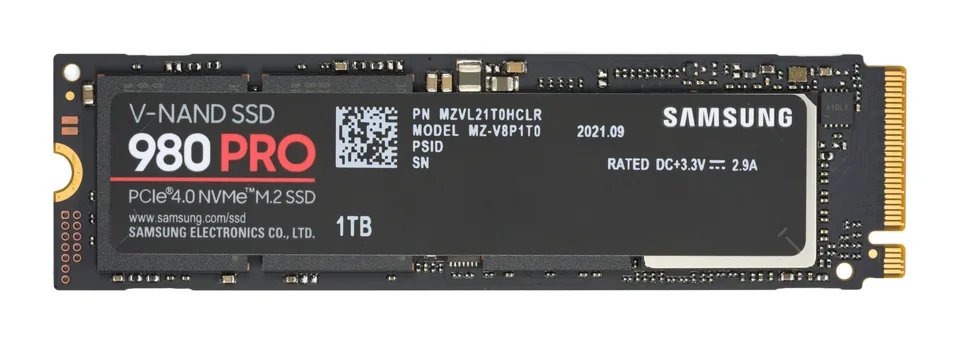

The SSD and its controller path
NVMe is a protocol for accessing solid-state storage over PCI Express. A drive can appear under Disk drives while its controller is shown separately under Storage controllers in Device Manager. For a directly exposed NVMe controller, Windows includes the StorNVMe driver. The drive's brand name alone does not reveal which storage-controller driver a particular installation actually uses.
Some computers place NVMe drives behind Intel VMD or a disk-array controller using a redundant array of independent disks (RAID). In that configuration Windows sees a different controller path, with its own matching driver and installation requirements. Treat the controller shown in Device Manager and the system maker's configuration as the starting evidence.
Identify what Windows can see
Check whether the SSD appears in firmware, Device Manager, and Disk Management, noting where detection stops. An existing Windows installation that boots normally already has a functioning path to its boot drive. Record the controller's provider, version, and hardware IDs before considering any change; do not use Disk Management initialization prompts on a drive with needed data.
A missing volume letter differs from a missing disk, and a missing disk differs from an undetected PCIe controller. If data matters, make and verify a backup before troubleshooting or changing any storage software. Preserve the current storage configuration for recovery.
Inbox StorNVMe versus OEM or controller packages
Windows' inbox StorNVMe supports applicable NVMe controllers; a manufacturer-specific NVMe driver is not automatically required for every SSD. Where VMD or disk-array mode is enabled by the manufacturer, its supported controller package may be essential to boot or to see drives during Windows installation. Follow the exact PC or motherboard configuration and approved installation instructions.
A drive maker's utility or firmware update is not the same thing as a Windows storage driver. Verify that a proposed package targets the actual controller and operating system, and read release notes for the fault being investigated. Do not replace a working boot-critical driver merely to chase a version number.
What a driver cannot fix
A storage driver cannot recover overwritten files, correct a loose or incompatible slot, revive failed flash memory, or make a damaged filesystem safe to format. Performance also depends on slot bandwidth, thermal throttling, free space, workload, and power settings. Benchmark differences alone do not identify a driver defect.
Do not switch Serial ATA (SATA), disk-array, or VMD firmware settings as a routine driver fix. That changes the controller path and can prevent Windows from booting or trigger encryption recovery. Any planned migration needs vendor-specific instructions, verified backups, and accessible recovery keys.
Protect data, then narrow the fault
Back up important data and verify the copy. Compare detection in firmware and Windows; for a nonboot data drive, check slot support and connection using the board manual. Check Windows Update and exact-model support only after identifying the active controller. Capture errors before making a single reversible change.
If the boot drive is absent or data appears damaged, stop installation attempts and prioritize recovery or professional data support. The motherboard and firmware articles help separate a board configuration question from an NVMe controller question.