
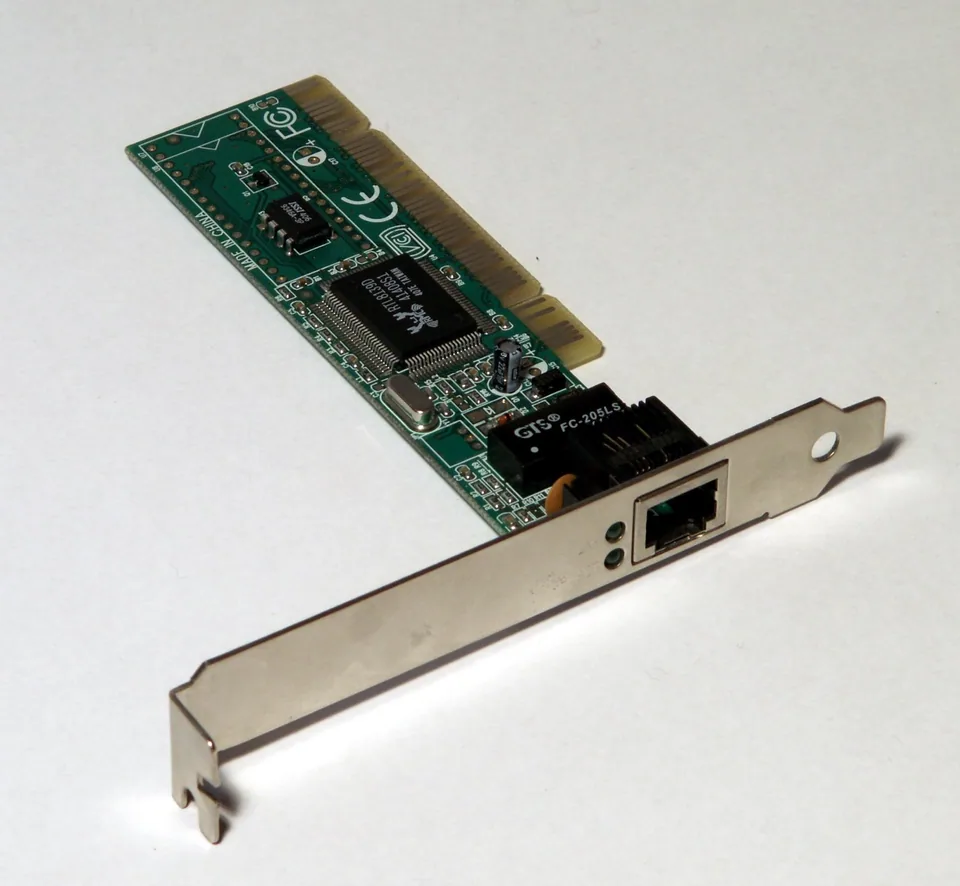


What the wired controller does
An Ethernet controller moves network traffic between Windows and a wired network port. Its driver exposes the controller to the operating system; a physical connection then has to negotiate a link with a switch or router. Only after link is established can the PC use an address, gateway, and DNS settings to reach other networks. “Ethernet connected” and “internet working” are therefore not interchangeable statements.
On a laptop, the port may be built in or provided by a USB or dock adapter. In the latter case, the dock, USB connection, and Ethernet controller form a chain: if the dock itself is not detected, changing a built-in LAN driver will not help.
Identify both the controller and connection
In Device Manager > Network adapters, record the Ethernet device name, Driver Provider, status, and Hardware Ids. A built-in controller often exposes a PCI identifier, while a USB LAN adapter has USB vendor and product identifiers. Check Settings > Network & internet > Ethernet for connection status. If there is no link, inspect the plug, cable, dock, switch port, and any link indicators rather than interpreting a browser error as a driver diagnosis.
Built-in driver or device-specific package?
Windows may install an appropriate wired adapter driver automatically or through Windows Update. The motherboard or computer manufacturer may publish a LAN package tailored to its board or model; a separate USB adapter may have its own manufacturer's instructions. Confirm the controller ID, PC model, Windows release, and supported architecture before installing an OEM package. A driver is worth investigating when the adapter is absent, reports a Device Manager error, or a documented fix applies—not merely because browsing feels slow.
Link failures and upstream failures are different
A driver cannot mend a damaged cable, enable a disabled switch port, restore power to a dock, or resolve an internet provider outage. If the link is active but Windows has no useful address or gateway, check DHCP and network policy. If only names fail while numeric connectivity works, look at DNS configuration. Speed negotiation can also be limited by cable quality or the other end's port, so a claimed gigabit adapter alone does not guarantee gigabit link speed.
Narrow the failure without disrupting the network
Try a known-good cable and switch port where permitted, and compare a second device on that connection. For a dock adapter, connect the dock directly and check its power and USB connection. Review Ethernet status and ipconfig /all before making configuration changes. If the controller itself has an error, consult the exact PC, board, or adapter maker's support page and record the current driver details first. On managed work or school networks, ask the administrator before changing static IP, VLAN, proxy, or security settings.