

The reader is not the memory card
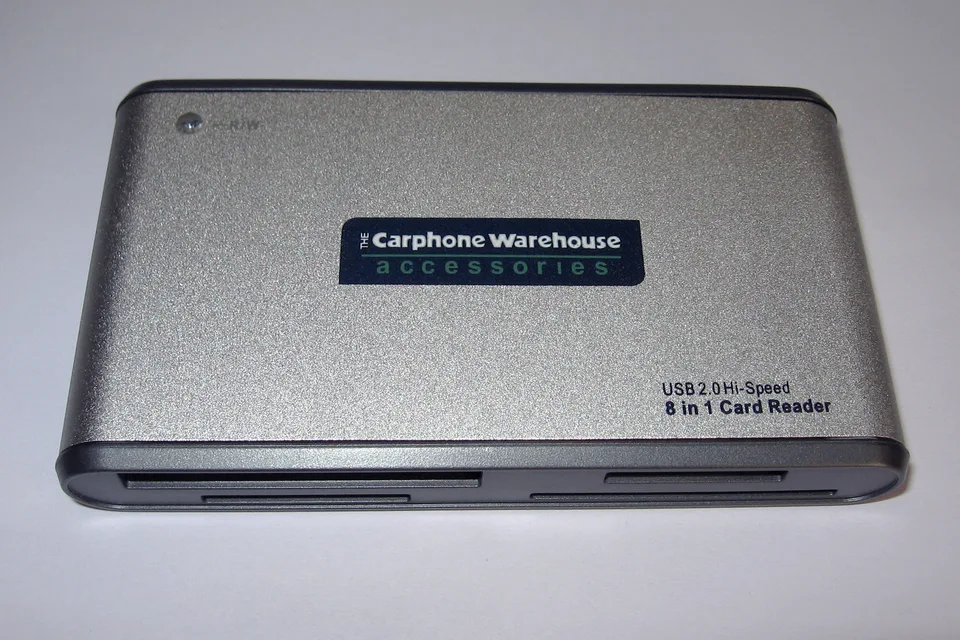
An SD or microSD card reader is a controller that communicates with removable media. An integrated laptop reader may use a dedicated SD host controller, while an external reader may connect over USB. Windows can recognize the reader even when no usable card is inserted; the removable volume may only appear after compatible media is present.
Detection happens in stages: the reader enumerates, it detects a card, Windows sees its storage, and then a filesystem can be mounted. A failure at the last stage does not necessarily mean the reader driver is wrong. Keeping these stages separate avoids destructive guesses.
Locate the controller and reproduce the symptom
Find the exact laptop model or the external USB reader model. In Device Manager inspect Memory technology devices, SD host adapters, USB controllers, and Disk drives as applicable. Observe whether inserting and removing a known-good card changes the device list. Record an error code and hardware IDs on any warning-marked controller.
Try the same card in a trusted second reader and a known-good compatible card in the original reader. Check supported capacities and formats in the reader's specifications. A card detected elsewhere but not here points in a different direction from one that fails everywhere.
Windows support and model-specific readers
Windows includes an SD card driver stack for supported host controllers and standard mass-storage support for many USB readers. Some integrated laptop readers require the precise OEM reader package; vendor features or unusual controllers may not be covered by a generic path. Match the controller's ID, computer model, and Windows version before installing anything.
A USB reader that works on another port may reveal a USB power or connection problem rather than an SD driver issue. Avoid replacing the entire chipset or storage stack solely because a card is not showing a drive letter. Check Windows Update before considering a matched maker package.
Do not format media as a driver fix
A reader driver cannot repair cracked contacts, a failed flash card, unsupported capacity, a bad adapter, or corrupted files. Windows may offer to format a card whose filesystem it cannot read; formatting can destroy access to existing data and is not a reader-driver repair. Do not initialize, repartition, or format a card containing files you need.
If the card is intermittently readable, copy important files to verified backup storage before further tests. If it cannot be read on any known-good reader, prioritize data recovery decisions instead of repeatedly reinstalling reader software.
A safe order of checks
First protect the data. Check the card's lock switch if present, inspect contacts without forcing anything, and compare one known-good reader and card. Then inspect Device Manager for the controller's actual state. Only if the reader is missing or warning-marked should you compare its ID with the exact manufacturer's support package.
After a single supported change, retest detection with a known-good card and verify files can be read without altering them. For an external reader, also compare a direct USB connection against a hub before blaming its driver.